User-Friendly Screen Recorder for Personal Computers
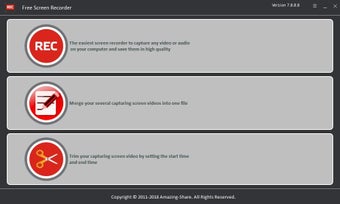
Free Screen Recorder is an effective alternative to common software such as Firefox Screenshot and Evaer. Not only is there absolutely no charge to download the standard program, but its user-friendly nature is perfectly suited for anyone looking to avoid the technical confusion associated with advanced packages. This system is intended to be used with personal computers.
Top Recommended Alternative

Main Features and Options
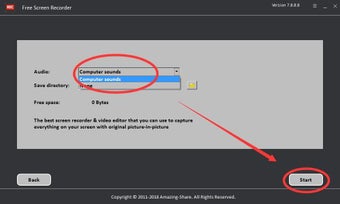
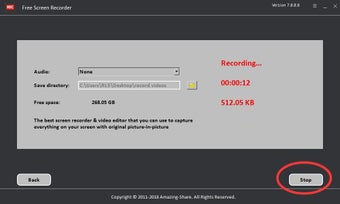
Free Screen Recorder offers basic options such as the ability to capture webcam feeds, online videos, chat sessions and even modern flash games. This is great for keeping track of conversations while such capabilities are also ideally suited for business purposes. Although the primary intention of this system involves recording real-time media, the user also has the option to capture and edit his or her personal webcam feed. This is why Free Screen Recorder could represent the perfect solution when creating seminars or software demonstrations.
Other Advantages to Consider
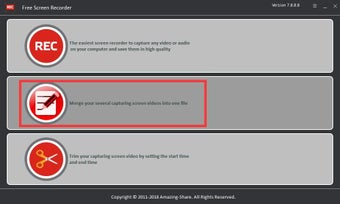
This package provides several powerful tools to modify a feed once it has been captured. For example, several videos can be merged into a single file before they are uploaded to common media sites such as YouTube. It is quite easy to use and the paid version (with more amenities) is associated with a 30-day guarantee to help ensure customer satisfaction.
Free Screen Recorder is an effective alternative to common software such as Firefox Screenshot and Evaer. Not only is there absolutely no charge to download the standard program, but its user-friendly nature is perfectly suited for anyone looking to avoid the technical confusion associated with advanced packages. This system is intended to be used with personal computers.
Main Features and Options
Free Screen Recorder offers basic options such as the ability to capture webcam feeds, online videos, chat sessions and even modern flash games. This is great for keeping track of conversations while such capabilities are also ideally suited for business purposes. Although the primary intention of this system involves recording real-time media, the user also has the option to capture and edit his or her personal webcam feed. This is why Free Screen Recorder could represent the perfect solution when creating seminars or software demonstrations.
Other Advantages to Consider
This package provides several powerful tools to modify a feed once it has been captured. For example, several videos can be merged into a single file before they are uploaded to common media sites such as YouTube. It is quite easy to use and the paid version (with more amenities) is associated with a 30-day guarantee to help ensure customer satisfaction.